Friday's Link: Freshblog

The fact that I have the time to pick Friday’s Link tonight and electricity and an internet connection to post it speaks volumes to how kind Hurricane Rita has been to us so far.

Freshblog is one of my favorite blogs. It regularly provides good tips about creating and customizing blogs as well as good takes on technology in general. I have used several tips I read on Freshblog to improve the Newsome.Org pages, but you don’t need to have a blog to enjoy Freshblog. All it takes is a desire to learn about how people are using the internet to create and distribute content- blogs and otherwise.

Technorati Tags:

Friday’s Link: Memorandum

techmeme

Memorandum is a very popular site that links to content from selected blogs. It’s a little hard to explain, but basically Memorandum contains links to blogger discussions on hot topics (meaning topics that a lot of people are talking about).

One problem I had with the original iteration of Memorandum was that the topics were too heavily weighted towards political discussion, and I don’t care a whit about politics. In fact, it bores me to tears.

Now, Memorandum has split into two sites: politics and tech. Personally, I don’t read the politics version, but the tech version is one of my every day reads. Politics or tech- either way you can find some good content fast via Memorandum.

Technorati Tags:

Friday's Link: Survival of New Orleans Blog

Firday’s link for this week is the Survival of New Orleans Blog. An employee at an ISP that is somehow still operational is blogging first hand about the troubles and tragedy in the Crescent City.

The site links to a live webcam and has a bunch of photos.

More information about New Orleans in the aftermath of Katrina can be found at the Post-Katrina Intel Dissemination Wiki.

Technorati Tags:

Friday’s Link: GUI Gallery

msbob

Friday’s Link for this week is the Graphical User Interface Gallery. This interesting site has descriptions and screen shots of many old and nearly forgotten GUIs and operating systems.

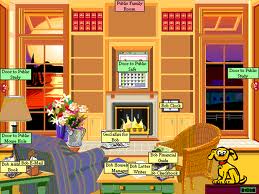
There are pages with descriptions and screen shots of Apple Lisa, At Ease (alternate Mac desktop), Amiga, OS/2, all versions of Windows, Norton Desktop for Windows, and my favorite, Microsoft Bob. I remember having a copy of Bob in my hands back in 1995 and wondering if I should buy it. I didn’t and, but for this web site, I would never have had the pleasure of seeing Bob and the original Rover (who is still running around in the seach boxes in Windows XP).

The GUI Gallery is a neat trip down memory lane for anyone who has used computers for any length of time. Seeing the Apple II desktop again reminded me of the many hours I spent back in the mid-eighties playing Island Apventure, a game my brother in law had on his Apple II.

Island Apventure was the first of 4 computer games that have captivated me over the years. The others are Starflight (still my all time favorite game), Sim City and Civilization. Civ IV is coming out soon and I am trying to decide if I am too old to play computer games. I hope not, because there’s no way I will be able to resist buying it.

Technorati Tags:

Extreme Website Makeover (Part 2)

This is the second in a two part series. Part 1 is here.

In Part 1 I talked about redesigning Newsome.Org and shared some things I learned in the process.

paint

Here, also in no particular order, are some other things I have learned.

5) While a nice, functional design is important (for example, I love to read John Dvorak’s blog, but I find the layout and design, particularly the middle part where the primary content is, to be distracting), content is king. Content can be many things: new or helpful information, humor, or just your thoughts on the latest episode of Lost. In fact, several of the blogs I read regularly are primarily online diaries where the blogger discusses whatever happened that day. I used to have a friend (where are you Steve Garner?) who could tell a story about taking out the trash and keep the whole room enrapt. If you provide useful and interesting content, you will eventually get readers. Granted, it’s hard to think of something useful to say every day (much less several times a day), and post shrinkage is a common traffic killer. The saving grace is that every post does not have to be a full length article. People like to connect and maintain a connection. Even a short comment or interesting link will keep me coming back to the blogs I read.

6) Make it a 2-way street. I learned when developing ACCBoards.Com that you can get a click or two pretty easily. The trick is to create and encourage conversations. Once people start conversing, a community begins to form and people will spend more than a few seconds on the site. The so called “A-List” bloggers understand this, and they often carry on discussions about common topics spread over their sites. Once you get used to “talking” via trackbacks, comments and common topics, other people will join in. People turn into a group which turns into a crowd, etc.

7) Use media to enhance what you’re saying and doing. Castpost is an excellent site that will host video, currently for free. I have posted one old and one new video project here via Castpost and will post more shortly. Radio Blog is a free program that allows you to post audio files on your site.

8) Get indexed by Technorati even if its hard to get set up. If you keep trying, it will happen. Other sites like del.icio.us , PubSub and Bloglines can help add features and spread the word about your site.

9) Give love to get love. I always link back to sites that inspire me to write about a topic. I always link in my post to a site that I trackback to. If people comment on my posts, I try to comment on their site when I have something to add. Over time, other bloggers will come to recognize your name and be more likely to give you a link or two in return.

10) Have fun and don’t take yourself too seriously. Nothing turns me off more than someone who feels the need to tell me how smart or clever they are. Just be yourself and write about something you find interesting- if you’re smart and clever people will figure that out on their own. Few of us get paid for writing these blogs, so it needs to be fun or it’s a misuse of our precious free time.

Technorati Tags:,

Duncan Wells' New Website

My friend Duncan Wells has a new website. Duncan is a songwriter, playwright, performer and actor. My kids know him as “daddy’s friend who sent us the CD we listen to all the time.” His Love & Safety Club CD has been in the regular rotation in my wife’s car for years. Duncan has written and recorded some of the best children’s music I have ever heard, and I have heard a lot. In fact, I would rank Duncan and Dan Zanes at the very top of the genre. Duncan also writes and performs great music for grown-ups and is active in the theatre.

The web site is new, and is a bit of a work in progress, but Duncan is an incredibly talented guy who makes great music for the whole family.

Technorati Tags:

Friday's Link: ReligionFacts.com

Friday’s Link for this week is ReligionFacts.com. I love the idea of an unbiased site where I can read and learn about the world’s religions. This site was created as part of the author’s preparation for a doctoral program in the history of religion. I love this quote from the FAQ:

What religion are you, if any?

I’m not telling and it’s not relevant anyway. ReligionFacts.com is not intended to promote or support any one religion and I have done my best to keep any and all personal biases out of it.

In addition to a lot of factual information about various religions, the site contains links to news stories involving religion and some very well written original articles. I am going to spend a lot of time reading this site. I hope the author writes a lot!

I found out about this web site from Eamonn Sullivan’s web site, which I enjoy and read regularly.

Technorati Tags:
,

Extreme Website Makeover (Part 1)

About once every 2 years I decide it’s time to update the look and feel of Newsome.Org. I’ve been doing that for the past month or so.

I’m good at computers. I built the one I use now myself. I used to be good at software, having written shareware and served as a game designer. But time passes fast when it comes to software and related applications. Now, every time I get into the recreation of these pages, I have to learn a bunch of new technology that has made my pages obsolete in the 2 years since I last went through the exercise. This time, I’ve had to learn CSS, RSS and XML (surprisingly, at least to me, the hardest by far for me was CSS). In the process, I’ve picked up a trick or two that I think makes website creation and management much easier for the technically proficient as well as the technically challenged. Hopefully, my trial and error will benefit those of you who decide to create a new site or update an existing one.

paint

Here, in no particular order, are some things I have learned:

1) Use blogging software, whether you consider your site a blog or not. It automates the creation, addition, editing, archiving and deletion of content. In sum, it makes what used to be time consuming and difficult fast and easy. I use Blogger as a front end (although the pages are actually located on my server), because it is convenient and enables me to add content from anywhere. If you don’t have a server, you can easily set up a site via Blogger- and Blogger will host it for free. If you want more flexibility (and you are good at computers) there are other options, such as Movable Type and WordPress. My advice, start out with Blogger and work from there.

2) Look around for helpful add-ons that make your site more user-friendly. I use Haloscan for my trackbacks (Blogger has no native trackback capability). It’s free and seems to work well. On the other hand, I don’t want my comments hosted somewhere else, where they might be archived or deleted after a period of time, so I use Blogger’s built-in commenting system (in lieu of Haloscan’s) along with Haloscan’s trackbacks. The place to go to see how to do this, and to learn about many other blog add-ons, is the excellent A Consuming Experience blog, and specifically this post. I also use Forret.Com’s free trackback tool to send trackback pings to other sites that I quote or write about. One word of caution- use add-ons that make the site more useful for your readers. Resist the ones that merely add cyber-bling bling.

3) Once you get your site up and running, syndicate it. This makes it easy for people to subscribe to it in their news readers. I use FeedBurner, another free service, for syndication. If you use Blogger, the FeedBurner page has easy step-by-step instructions for getting set up.

4) Add some photos with Flickr. Flickr is simply the greatest photo site on the internet. You can upload photos for free, and show them on your blog via a Flickr Badge. Flickr integrates easily and deeply with your blog, so adding and managing photos is simple. Plus you can share photos with friends and family for free. You can also create sets of photos that are only visible to the people you select- family, friends, anyone or only yourself.

I’ll continue this discussion in Part 2 later this week. If anyone has any additional tips, please add them via Comment or Trackback.

Technorati Tags:,

Bookmark

I enjoy photographs, but I have never bought a book of them, and I have never bookmarked a web site just for the photos…until recently. Thomas Hawk has a great web page that is very much worth reading for the digital media discussion alone. That’s why I started reading it regularly. But I have found that the true joy of his page is his amazing photos. A thousand of my words could not do justice to one of his pictures. Bookmark Thomas Hawk’s Digital Connection. I promise you’ll look forward to going there every day. I certainly do.

Err Bear Music Page Updated

ebmlogo

The Err Bear Music page has been updated. Take a look at our new, hopefully better, format. We added some new MP3’s and even a new song or two. Our goal is to have complete MP3’s for 80% of the catalog available by the end of the year. Many of the current MP3’s are only partial songs. We’re updating them regularly so stay tuned.

Update: Err Bear Music is now at ErrBear.Com.  All demos are full length, fully arranged and available for streaming.

Here’s a sample.